Small nav, on purpose.
Call Center exists to book meetings and keep agents' calendars full — not to manage clients, rates, or reports. The whole role fits in five links: Team Lead Base, Team Calendar, Weekly Report, Chapter Library, My Profile.
Your workspace
You get your own dedicated login (see the Manager guide for how it's created) with a deliberately short sidebar — everything you need to call, and nothing you don't.
| What you have | What it's for |
|---|---|
| Team Lead Base | Only the leads assigned to you — call, log outcome, book a meeting |
| Team Calendar | View-only. See when your assigned agents are free before you book them a meeting |
| Weekly Report | Calls made, meetings booked, objections heard — submitted weekly |
| Chapter Library | Your call scripts and training |
| My Feedback / My Profile | Coaching notes from your Manager, and your own account settings |
No Clients, no Pipeline, no Commission Rates, no Reports. That's not a bug — call center activity feeds notes, meetings and weekly reports, but it never touches commission math.
Working your lead base
The Team Lead Base is filtered to the leads your Manager assigned to your call-center account.
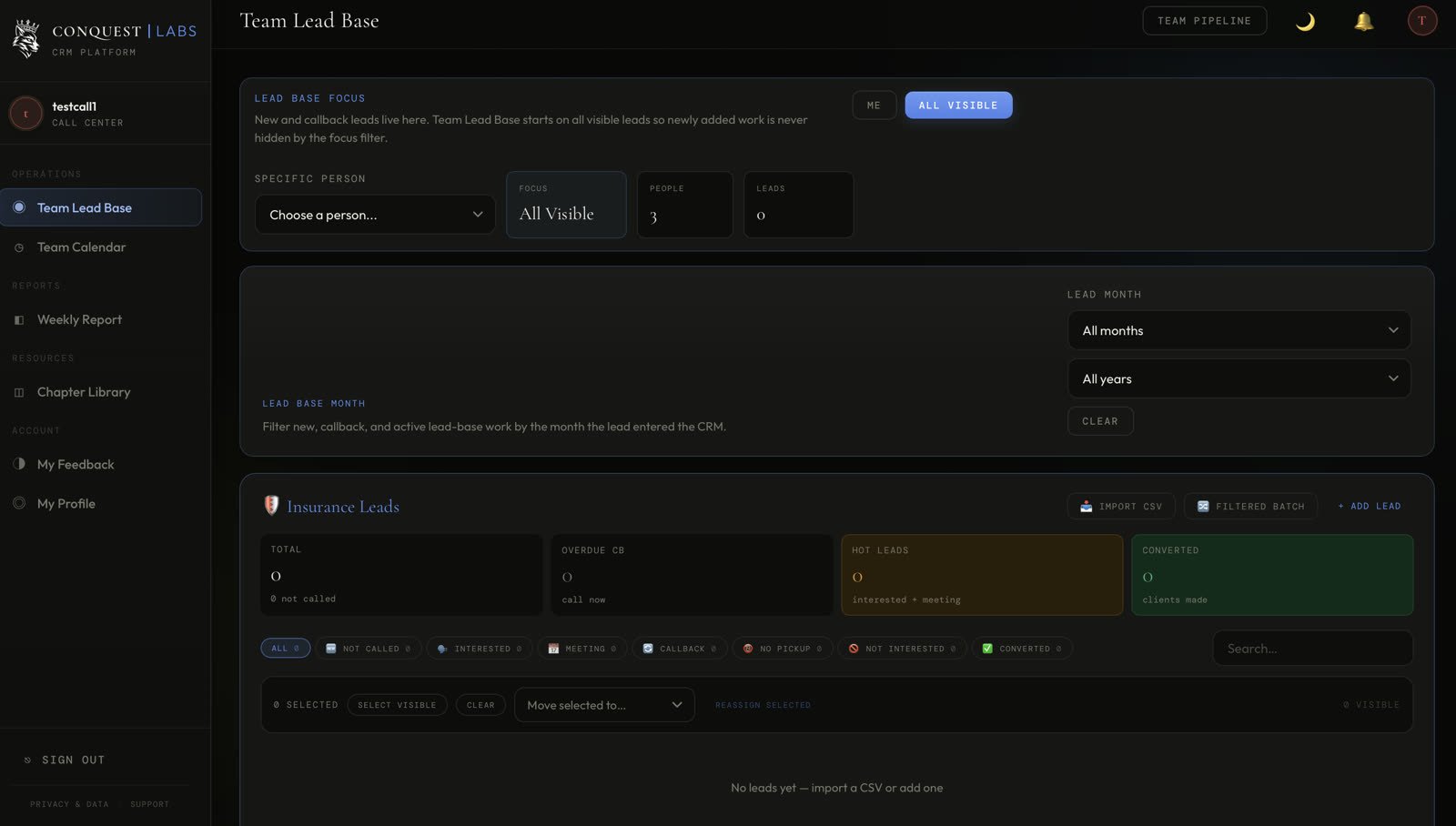

- 1 Same focus toggle as everywhere else — Me vs. All Visible (your assigned set).
- 2 If Leads reads 0, nothing's been assigned to you yet — ask your Manager to check the account's agent assignments.
Team Calendar — checking availability
Before you book a meeting for an agent, check they're actually free. You can see the calendar; you can't edit anyone's meeting directly from here.
- 1 This view is read-only by design — to actually book a meeting, do it from the lead's card on Team Lead Base, not from here.
Submitting your Weekly Report
A short check-in, every week, without exception — this is how your Manager or Leader knows what's working on the phones without sitting next to you.
- 1 Be specific in Help Needed — "more leads" tells your Manager nothing; "call list for John's leads ran out Tuesday" gets it fixed by Thursday.
That's the full Call Center guide.
Use this as your role-specific daily guide. Your Manager controls account access and lead assignments. Questions? Ask in this Skool group.