Your day, start to close.
An Agent's view is the same CRM with the oversight pages removed — no Team X pages, no rate-setting, no other people's numbers. Just your leads, your pipeline, your clients, and your own performance.
Your daily workflow
Everything you touch is a personal version of a screen already covered in Chapter 1 — same fields, same buttons, just scoped to you and pre-filtered so you're never digging through the whole org's data.
- My Pipeline — your version of Team Pipeline (see the Manager guide for the full board). Work new leads, move the stage picker as a deal progresses, add notes and book meetings from the card.
- Close a deal → Convert / Add Client — use the close action shown on the lead or pipeline card. Create one linked client record. Use + Add Client only when the client did not originate as a CRM lead, so you never create a duplicate.
- Renewals — your clients surface on your renewal view automatically as their date approaches. Work the ≤30-day bucket first, every time.
- Cross-Sales — spot an opportunity in an existing client, log an Upsell Meeting (full detail in the Manager guide). You can convert it and enter the final product/value; a Manager sets the split and gives final approval.
- Weekly Report — a short check-in each week: wins, problems, help needed. Your Leader reads this before your 1:1.
- Calendar — your own meetings, filtered to "Me." Book, reschedule, and sync to Google from here.
- Chapter Library — training your Leader or Manager assigned you, plus anything you want to review yourself.
You never see rates, other agents' numbers, or System Center. If a client, lead, or meeting is missing, it's almost always an assignment issue — ask your Leader to check it's assigned to you, rather than re-creating it.
My Pipeline — your personal board
The same kanban board a Manager sees on Team Pipeline, narrowed to only the leads assigned to you.
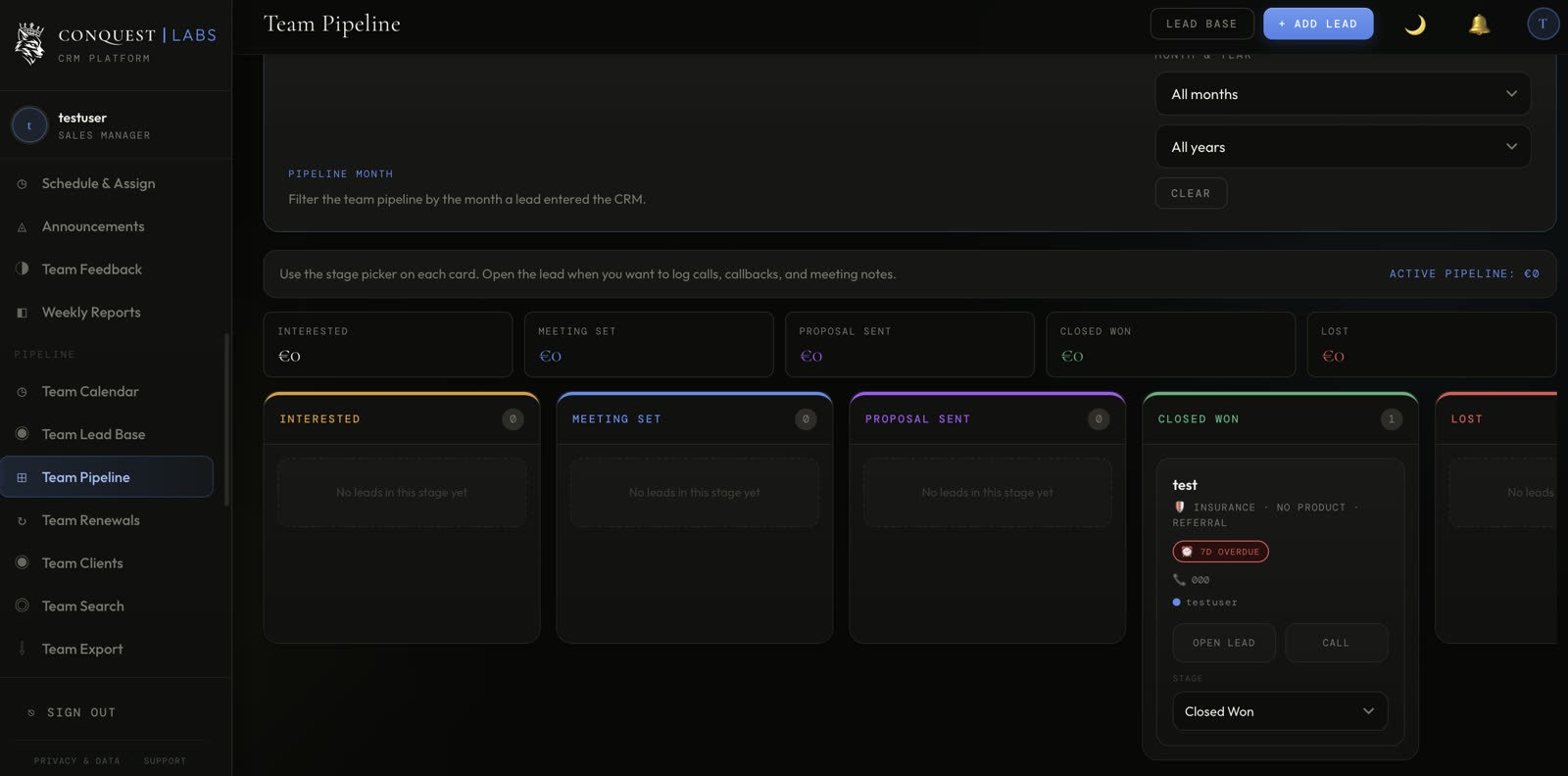
- 1 My Leads toggle — switch to see leads assigned to you specifically, versus anything you've been given visibility on.
- 2 Move a card's stage the moment something real changes on a call — not before, not after. A stale board is worse than no board.
My Clients & adding a new one
The moment a deal closes, it needs a client record — this is what carries the relationship forward past the sale, into renewals and cross-sales.
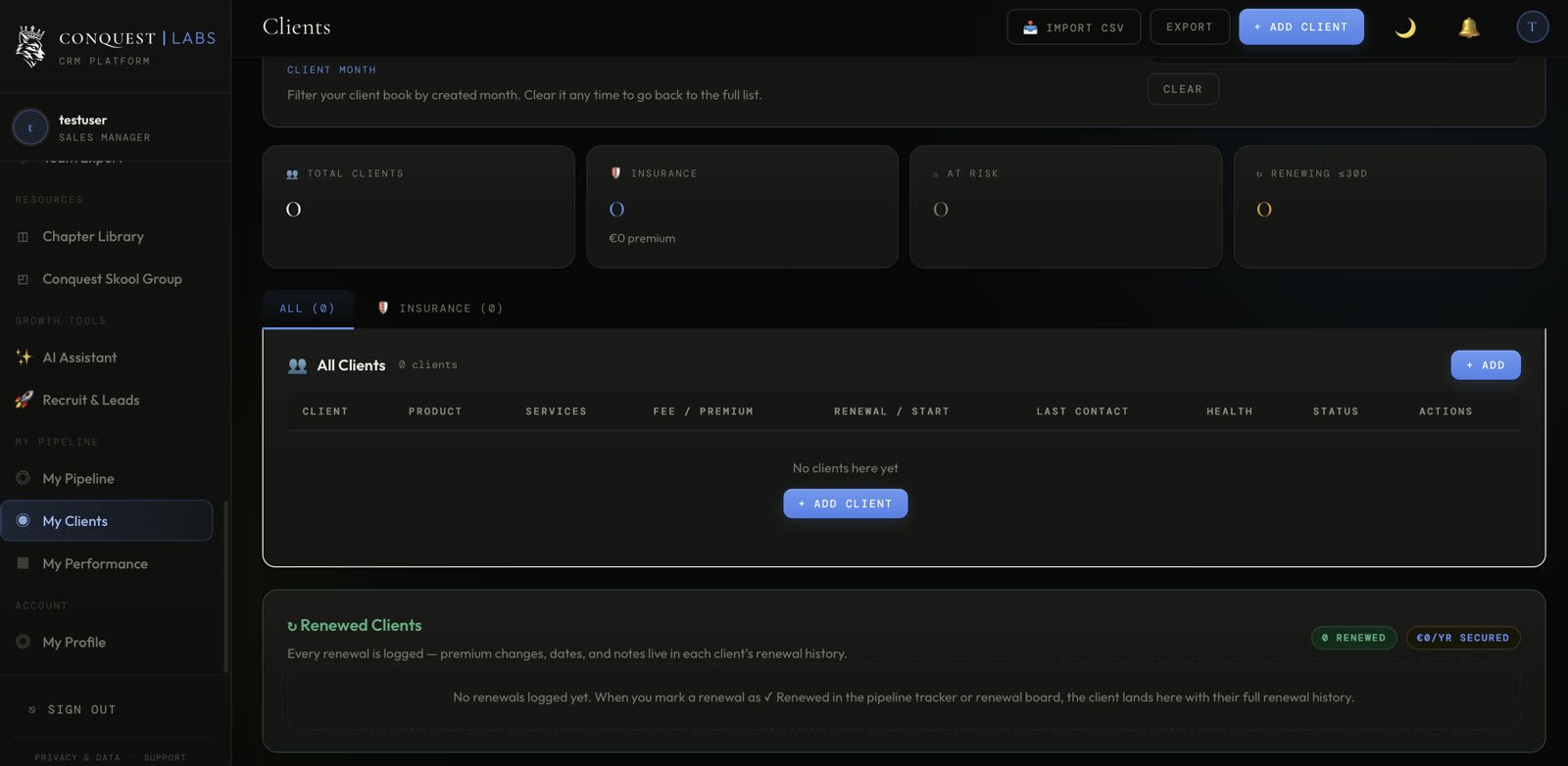
| Client | Product | Renewal | Status |
|---|---|---|---|
| Marko K. | Life Insurance | 2027-04-12 | Active |
- 1 Fill in product, premium, and renewal date at the moment of the sale — this single entry is what feeds your renewals, your commission, and your Leader's reports. Skip a field here and it stays broken everywhere downstream.
My Performance, as an Agent
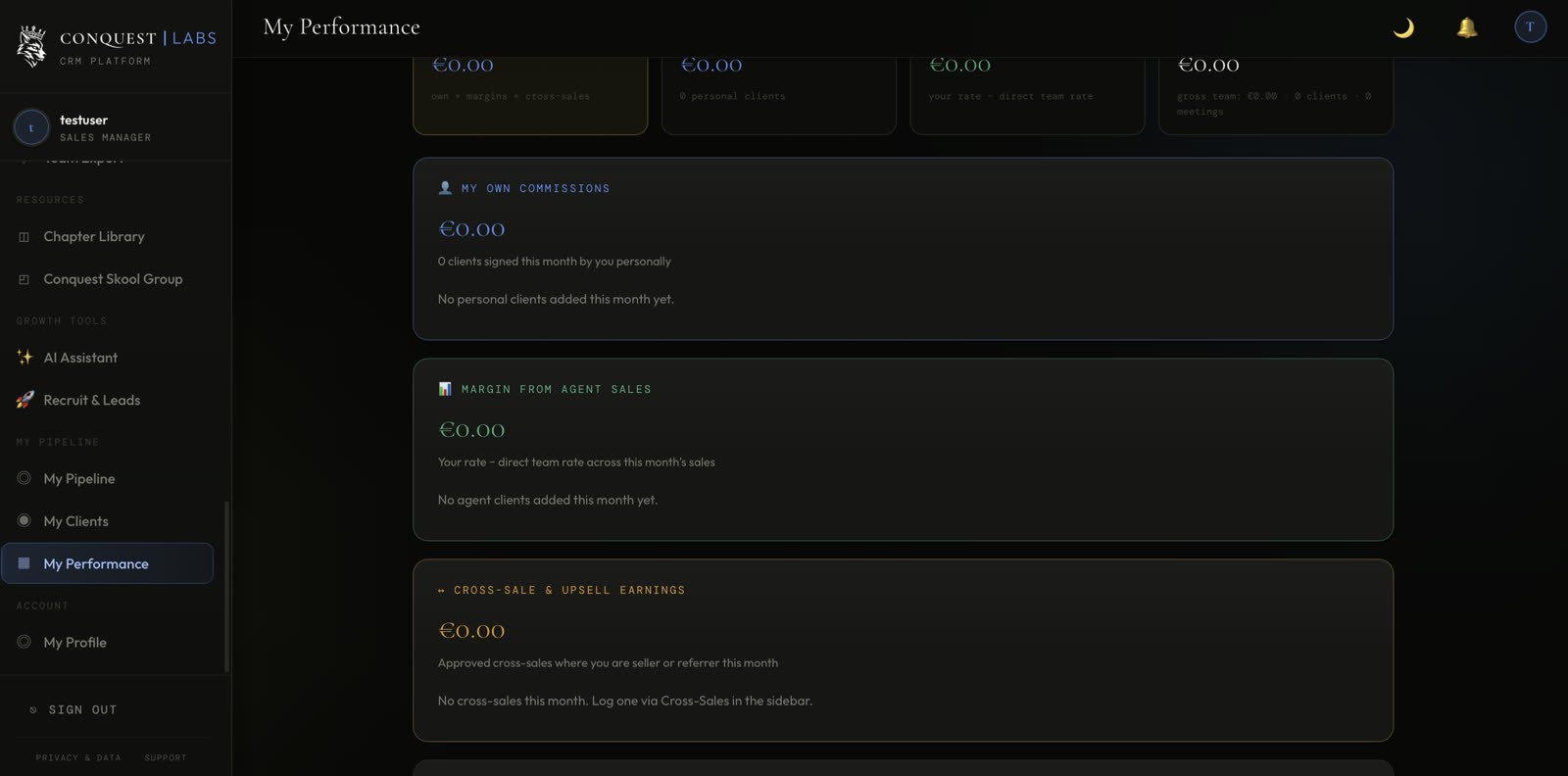
Same page as in the Manager and Leader guides, but with only one card active — you have no agents underneath you, so there's no margin to roll up.
That's the full Agent guide.
Use this as your role-specific daily guide. For shared fields and manager-controlled setup, open Chapter 1 or ask your Leader. Questions? Ask in this Skool group.